Stuck on a screen and don’t know what to do next?
Paste a screenshot of confusing workplace software and get clear next steps instantly.
Data Levee is a Windows desktop app that helps people understand confusing workplace software, errors, and next steps — privately and without screen monitoring.
Data Levee uses your latest screenshot as the active source of truth to reduce incorrect or hallucinated instructions.
✔ Takes 30 seconds to get started
✔ Works with most Windows software
✔ No data stored
Windows desktop software — runs directly on your computer

Free 7-day trial — cancel anytime before renewal
Free 7-day trial • No data stored • Your OpenAI account stays private
Windows desktop app • Privacy-first • You stay in control of your AI usage
Built for real work in complex systems
Example: understanding unfamiliar software
Paste a screenshot. Get clear, step-by-step help.
Example: Getting unstuck at work
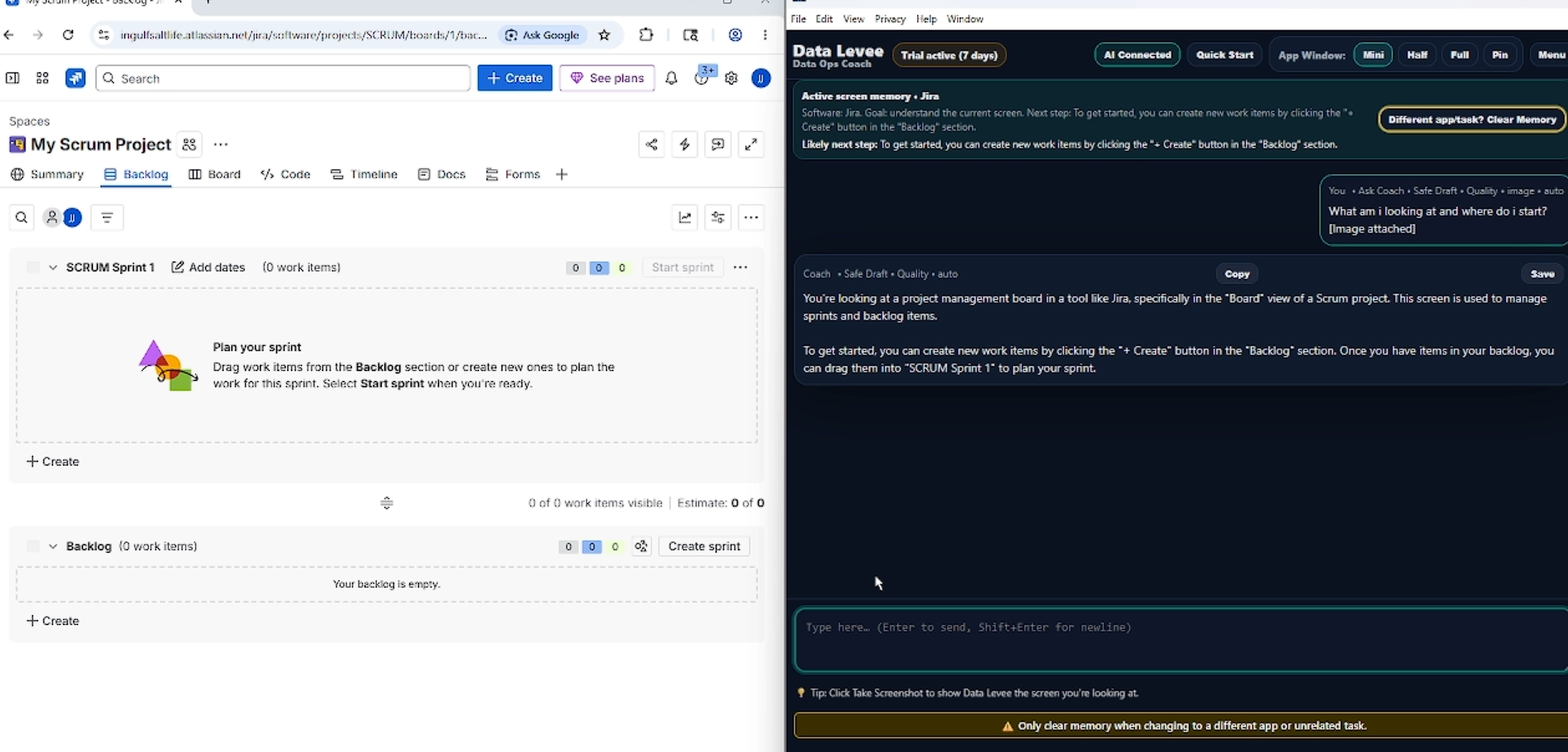
Paste a screenshot and ask: “What am I looking at?” or “What should I click next?”

Turn confusing screens into clear next steps
When you're dealing with unfamiliar software, tickets, Slack updates, or status reports, it’s easy to feel stuck.
Data Levee helps you understand what’s on your screen, organize your thoughts, and turn rough notes into clear, company-safe updates you can send with confidence.
Your work stays under your control
Data Levee never sends messages to Slack, Jira, or any external system.
Everything stays inside the app until you choose to copy or export it — so your company data stays private and under your control.
You decide when and where your work is shared.

Turn confusion into clear updates
When work gets stressful, it's easy to over-explain or second-guess what you're writing.
Data Levee helps you keep updates clear, focused, and professional — so you can communicate confidently without worrying about saying too much or too little.

You stay in control
Data Levee runs on your computer and helps you understand confusing software screens, organize your thoughts, and draft clear updates — without storing your work.
Quick setup (about 30 seconds): connect your OpenAI account to get started.

When work gets confusing, start here
Use Data Levee when you're staring at unfamiliar software, messy notes, or a task you're not sure how to explain.
It helps you think through the problem, organize what matters, and turn it into a clear, professional draft.
Free 7-day trial • No data stored • Your OpenAI API key stays private